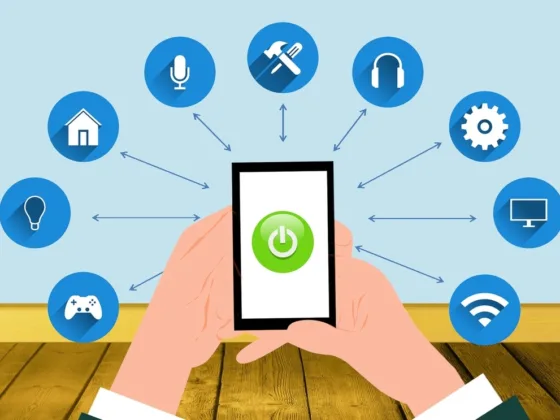
Home devices aren’t a risk if they aren’t ‘smart’. But, as most homes in 2022 at least have a smart home device, it’s essential to get ahead of the risks associated with them.
The cybersecurity risks with home devices generate from the devices themselves. The manufacturing companies make the smart devices communicate with their servers without taking necessary cybersecurity precautions.
Therefore, it’s your duty to keep you and your family safe from intruders by following the cybersecurity checklist discussed in this article.
Secure Your Wi-Fi Connection
Through Wi-Fi, smart home technologies talk to the control center. Since the entire setup must be connected to the same network, it is essential to secure your Wi-Fi using the finest cybersecurity procedures. Let’s talk about the network security best practices.
Read Also:
Factory Username and Password
All of the devices made by router manufacturers come with a factory admin name and password. Online trackers can easily find this login and password. Change the login details as soon as you bring a new router home.
Additionally, avoid using a network address that is instantly identifiable or that may be used to pinpoint your location.
Don’t continue using the login details. Use a combination that contains symbols, numbers, and both upper- and lowercase characters. Change both the WLAN and the admin panel passwords. Brute force attacks can be performed to easily access your home devices if your password isn’t robust enough.
Consider Turning Your Wi-Fi off
The implication of the aforementioned facts is that, if your security is breached, hackers can get access to your home devices by just connecting within days or weeks. Consider shutting off the home automation system if you won’t use it for a while to prevent hackers from gaining access.
Physically Conceal Your Router
It’s a good idea to position your router in the middle of your house. Additionally, it is more practical this way because you will have easier access to all of the appliances. By placing the Wi-Fi router in the middle, you can stop intruders from physically accessing the network.
Use a Proxy Server
Your smart home system may be secured pretty well by using a proxy. Networks of intermediate routers known as proxies assist protect the privacy of your connections. Let’s examine how proxies function to keep your house secure.
Imagine you have a smart coffee machine that can be hacked. An adversary could attempt to force a brewing schedule delay. It is considerably simpler to accomplish and can be done on other devices, such as cameras.
Cameras contain much more sensitive information than, say, smart TVs. By making it more difficult to establish connections, Rayobyte reduces the risk.
Their range of different proxies consisting of real-world devices makes sure that you are safe from malicious attackers.
You may also add multi-factor verification to your network by using a proxy. The levels of necessary authentication would therefore prevent an attacker from accessing the network even if they managed to do so.
Stay Updated With the Latest Software
The best cybersecurity precautions are not necessarily taken into consideration when designing smart home appliances. The likelihood of attackers taking over your network increases dramatically as more gadgets become dependent on internet connectivity.
Companies and customers are attempting to keep up with upgrades to close the gaps in network security as awareness of network security and susceptibility grows.
Not knowing your network is vulnerable is something, but once it’s found, it is essential to address it. For development, companies work to make the knowledge accessible to the general public.
If your device isn’t updated, hackers who are aware of the vulnerability can use it to access your data.
The appliance should also be updated to include new functions and enhance the quality of life.
Connect to a Different Network
Nowadays, the majority of Wi-Fi routers come with a function that enables you to keep your personal network and your home network separate. It enables manual configuration of the appliances’ internet connectivity, preventing hackers from accessing the system.
Offline automation is also feasible and recommended if you have sufficient central hubs. Offline automation refers to the connectivity of devices that don’t rely on the internet but on the local network.
Even if the makers make every effort to encrypt the devices, removing the direct connection between your laptop or phone and the smart home equipment may significantly increase security.
A separate network can also aid with connection stabilization because most smart home products need 2.4GHz connectivity.
However, having a second router is not necessary for a dedicated network. Your router’s guest mode may be utilized to create a new network.
Rely on a Firewall
The routers’ built-in default firewall is usually ineffective. They seldom regulate the inbound or outgoing traffic. But the security challenges of smart home systems may be resolved by deploying a specialized firewall to monitor the ports and examine the smart devices.
To prevent access to malicious activities coming from or aimed at appliances, hardware firewalls can be installed. They are actual network hardware that stands between the internet and the devices.
Software firewalls are applications that you must install on the computer or other device you use to control smart devices.
Software firewalls are more practical and simpler to set up for home usage than hardware firewalls. But, hardware firewalls offer greater security.
Turn on Mac Address Filtering
Every network device, smart or not, must have a MAC address. Your smart home devices that are linked to your router also have MAC addresses, which are their actual physical network locations.
A device’s MAC address cannot be changed and is permanent. To stop outside devices from accessing your network, think about turning on MAC filtering on your router.
It’s generally a basic feature of every router and it allows only the devices with specific MAC addresses to access your home device network. You may need to change the settings every time you add a new device, but it’s worth it.
Stop Network Broadcasting
You can prevent your network from displaying the name if you’ve configured a different connection for your home devices.
Although you can stop broadcasting the name for any network, it’s not a practical solution as you may need to connect your mobile devices to the personal network.
Your router ought to have a built-in mechanism that prevents it from revealing the network name to others. The router panels may only be accessed or modified by the devices you select (such as your smartphone).
The Bottom Line
Our lives have been greatly improved by smart home technology. In terms of convenience and security, smart home devices like motion-sensing cameras and biometric doors have significantly improved our lifestyle.
But they still aren’t as safe as we’d like them to be. Secure your Wi-Fi, install a proxy, and have your gadgets updated to prevent your wellbeing and critical information from being jeopardized.